
A reliable Wi-Fi connection has become essential for modern life. Whether you’re working remotely, attending online classes, streaming videos, gaming, or managing smart home devices, stable internet access is critical.
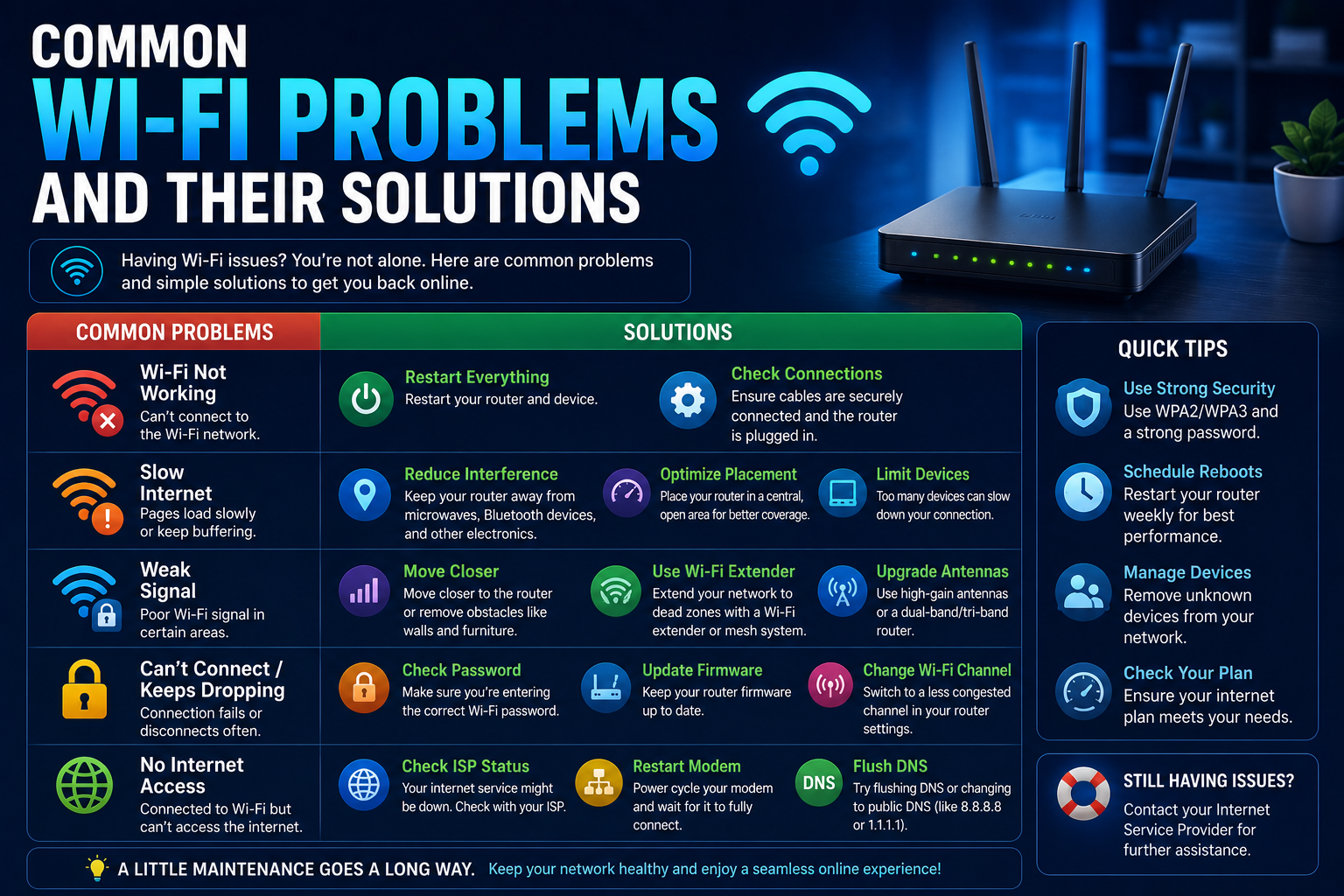
Unfortunately, Wi-Fi issues remain one of the most common technology frustrations. Slow speeds, dropped connections, weak signals, and security concerns can disrupt productivity and create unnecessary stress.
The good news is that most Wi-Fi problems can be diagnosed and resolved without professional assistance. Understanding how wireless networks function can help you identify issues quickly and restore reliable connectivity.
In this guide, we’ll examine common Wi-Fi problems and practical solutions that can improve your network performance.
How Wi-Fi Works
Wi-Fi allows devices to connect to the internet wirelessly through a router.
Common connected devices include:
- Smartphones
- Laptops
- Tablets
- Smart TVs
- Gaming consoles
- Smart home devices
Several factors influence Wi-Fi performance, including:
- Signal strength
- Router quality
- Device limitations
- Physical obstacles
- Network congestion
Understanding these factors helps make troubleshooting easier.
1. Slow Internet Speeds
Slow internet is one of the most common complaints among users.
Possible Causes
- Too many connected devices
- Weak signal strength
- Background downloads
- Network congestion
- Outdated hardware
Solutions
- Restart your router
- Disconnect unused devices
- Move closer to the router
- Pause large downloads
- Upgrade aging equipment
If slow performance continues, run an internet speed test to compare actual speeds with your service plan.
2. Frequent Connection Drops
Random disconnections can interrupt work, meetings, and entertainment.
Causes
- Router overheating
- Signal interference
- Firmware issues
- Internet provider outages
Solutions
- Restart the router
- Update firmware
- Improve router ventilation
- Contact your internet provider if outages persist
3. Weak Wi-Fi Signal
Weak signals often occur in larger homes or buildings.
Common Causes
- Distance from the router
- Thick walls
- Metal structures
- Interference from appliances
Solutions
- Reposition the router
- Use Wi-Fi extenders
- Upgrade to a mesh Wi-Fi system
- Reduce physical obstructions
Proper router placement can dramatically improve coverage.
4. Wi-Fi Connected but No Internet
Sometimes devices connect successfully but cannot access websites.
Troubleshooting Steps
- Restart the router.
- Restart the device.
- Check for ISP outages.
- Test additional devices.
If all devices experience the same issue, the problem may be external.
5. Router Overheating
Routers operate continuously and generate heat.
Excessive temperatures may cause:
- Slow performance
- Random reboots
- Connection instability
Prevention Tips
- Keep vents unobstructed
- Avoid enclosed spaces
- Clean dust regularly
Adequate airflow improves reliability.
6. Too Many Connected Devices
Modern households often have dozens of connected devices.
Examples include:
- Smartphones
- Laptops
- Smart speakers
- Security cameras
- Streaming devices
Network congestion can reduce performance.
Solutions
- Disconnect inactive devices
- Upgrade your router
- Prioritize important devices
Modern routers often include Quality of Service (QoS) features to manage traffic.
7. Wi-Fi Security Issues
An unsecured network creates both security and performance risks.
Secure Your Network
Use:
- Strong passwords
- Modern encryption
- Updated firmware
Regular security reviews help prevent unauthorized access.
For broader protection strategies, see Cybersecurity Tips Everyone Should Follow in 2026.
8. Devices Cannot Find the Network
Occasionally devices fail to detect available Wi-Fi networks.
Possible Causes
- Hidden network settings
- Device issues
- Router malfunctions
Solutions
- Restart both devices
- Reset network settings
- Verify router operation
- Update software
Most detection problems can be resolved through basic troubleshooting.
9. Wi-Fi Slows During Peak Hours
Some users notice slower internet during busy periods.
Causes
- ISP congestion
- Neighborhood demand
- Shared infrastructure
What You Can Do
- Schedule large downloads during off-peak hours
- Upgrade service plans if necessary
- Contact your provider
Not all performance problems originate inside the home.
10. Outdated Router Hardware
Many users continue using routers for years.
Older equipment may struggle with:
- Modern internet speeds
- Multiple devices
- Advanced security features
Signs You Need an Upgrade
- Frequent disconnections
- Limited coverage
- Slow performance
Modern routers often provide significant improvements.
11. Browser or Device Problems
Sometimes the issue is not the network itself.
Problems may stem from:
- Outdated browsers
- Malware
- Software conflicts
Solutions
- Update browsers
- Restart devices
- Scan for malware
- Clear browser cache
Troubleshooting individual devices can help isolate the issue.
For computer optimization tips, read How to Speed Up a Slow Windows PC in 2026.
12. DNS Issues
DNS translates website names into IP addresses.
When DNS problems occur:
- Websites may fail to load
- Connections may appear active
- Browsing becomes unreliable
Possible Fixes
- Restart the router
- Reset network settings
- Use alternative DNS providers
DNS issues are often overlooked but relatively easy to resolve.
Best Practices for Better Wi-Fi Performance
Place the Router Centrally
A central location improves coverage.
Keep Firmware Updated
Updates improve both performance and security.
Use Strong Security Settings
Protect the network from unauthorized access.
Monitor Connected Devices
Remove devices that are no longer needed.
Restart Periodically
Occasional restarts can improve stability.
Common Wi-Fi Myths
Myth 1: More Signal Bars Always Mean Faster Internet
Signal strength and internet speed are not identical.
Myth 2: Restarting the Router Never Helps
Many temporary issues are resolved through a simple reboot.
Myth 3: Internet Problems Are Always the Provider’s Fault
Internal network issues often contribute to poor performance.
Understanding these myths improves troubleshooting effectiveness.
Frequently Asked Questions
Why is my Wi-Fi suddenly slow?
Common causes include congestion, interference, outdated equipment, or ISP issues.
How often should I restart my router?
Occasional restarts help maintain stability and performance.
Does router placement matter?
Yes. Placement significantly affects coverage and signal quality.
Is public Wi-Fi safe?
Public networks can carry security risks and should be used cautiously.
Should I upgrade my router?
If your router is several years old and struggles with modern demands, upgrading may improve performance.
Conclusion
Wi-Fi problems can be frustrating, but most issues have straightforward solutions. Understanding the causes of slow speeds, weak signals, disconnections, and security risks allows users to troubleshoot more effectively and maintain a stable connection.
By optimizing router placement, securing your network, updating firmware, and following good maintenance practices, you can enjoy faster and more reliable wireless connectivity.
Whether you’re working, studying, streaming, or gaming, a well-maintained Wi-Fi network remains an essential part of modern digital life.