
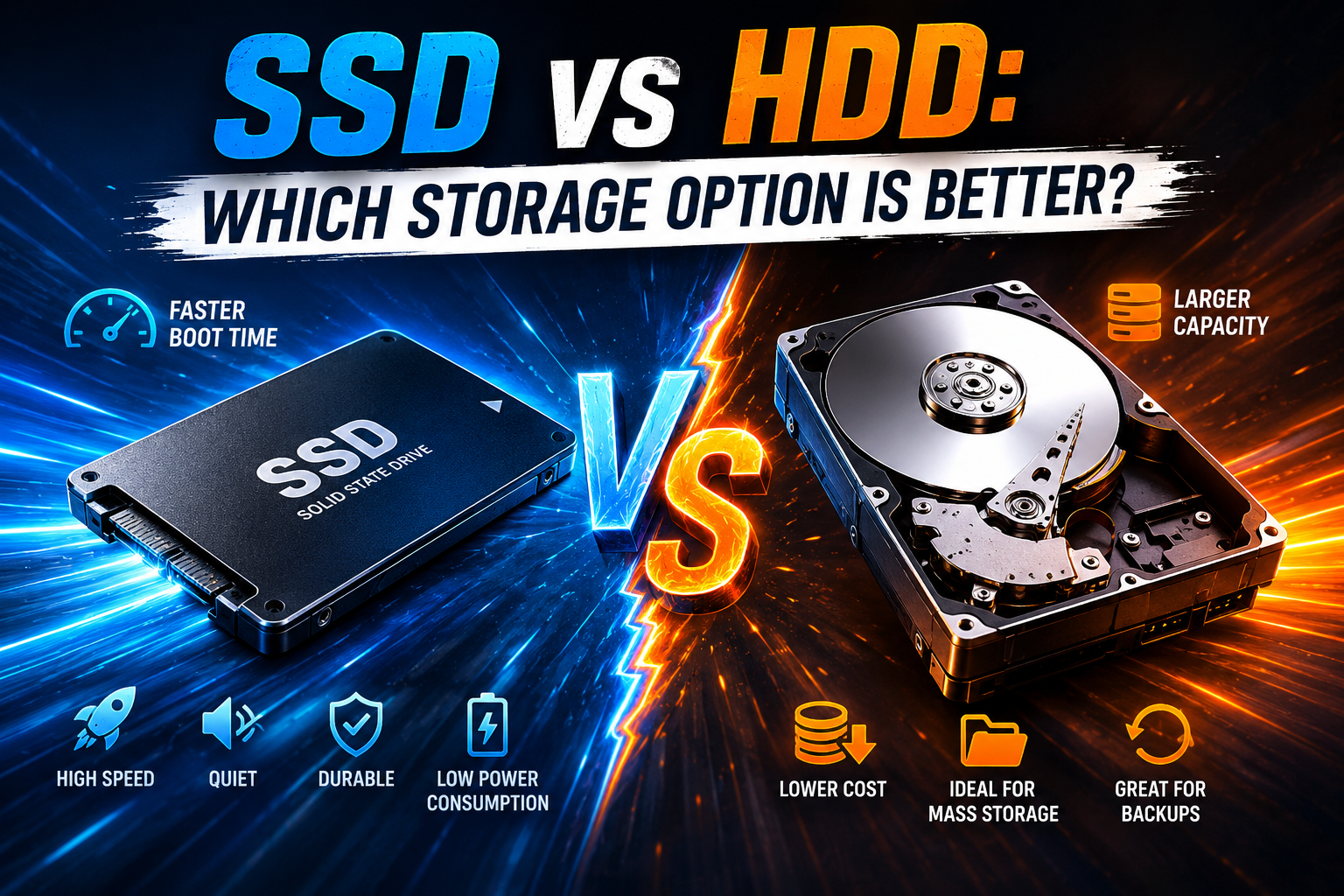
When purchasing a new computer or upgrading an existing one, one of the most important decisions you’ll make is choosing the right storage device. Storage affects everything from boot speed and application performance to file transfers and overall system responsiveness.
For years, Hard Disk Drives (HDDs) were the standard storage solution for computers. However, Solid State Drives (SSDs) have become increasingly popular due to their superior performance and reliability.
While both SSDs and HDDs serve the same purpose—storing data—they differ significantly in speed, durability, power efficiency, and cost.
In this guide, we’ll compare SSDs and HDDs in detail to help you decide which storage option is best for your needs in 2026.
What Is an HDD?
A Hard Disk Drive (HDD) is a traditional storage device that stores data on spinning magnetic platters.
Inside an HDD, you’ll find:
- Rotating disks
- Read/write heads
- Mechanical moving parts
When data is accessed, the drive physically moves components to locate and retrieve information.
HDD technology has existed for decades and remains widely used for bulk storage.
Advantages of HDDs
Lower Cost Per Gigabyte
One of the biggest advantages of HDDs is affordability.
Users can often purchase:
- Larger capacities
- Lower prices
compared to SSD alternatives.
Ideal For
- Large media collections
- Backups
- Archives
- Budget-conscious users
High Storage Capacity
HDDs remain an excellent choice when maximum storage is required.
Common uses include:
- Video storage
- Photo libraries
- Business archives
- Backup systems
Large-capacity HDDs continue to provide strong value.
Disadvantages of HDDs
Slower Performance
Because HDDs rely on moving parts, data access takes longer.
This affects:
- Boot times
- Application launches
- File transfers
Older computers using HDDs often feel noticeably slower.
For optimization tips, read How to Speed Up a Slow Windows PC in 2026.
Greater Risk of Physical Damage
Moving components make HDDs more vulnerable to:
- Drops
- Vibrations
- Mechanical wear
Physical damage can lead to data loss.
Increased Noise
Spinning disks and moving heads generate:
- Clicking sounds
- Vibrations
- Operational noise
While not always problematic, HDDs are generally louder than SSDs.
What Is an SSD?
A Solid State Drive (SSD) stores data using flash memory.
Unlike HDDs, SSDs contain:
- No moving parts
- Electronic memory chips
- Storage controllers
This design enables significantly faster performance.
Advantages of SSDs
Faster Performance
Speed is the most obvious advantage of SSDs.
Benefits include:
- Faster boot times
- Quicker file transfers
- Faster application loading
- Improved responsiveness
Many users report dramatic performance improvements after upgrading.
Better Reliability
Because SSDs contain no moving parts, they are generally more resistant to:
- Shock
- Vibration
- Physical movement
This makes SSDs especially attractive for laptops.
Lower Power Consumption
SSDs typically consume less energy than HDDs.
Benefits include:
- Improved battery life
- Reduced heat generation
- Better energy efficiency
For battery optimization advice, see How to Extend Your Laptop Battery Life.
Silent Operation
Since SSDs have no mechanical components, they operate silently.
Users seeking quiet computing environments often prefer SSDs.
Disadvantages of SSDs
Higher Cost
Although SSD prices continue to decrease, they generally cost more per gigabyte than HDDs.
Users requiring large amounts of storage may spend more on SSD solutions.
Limited Write Cycles
Flash memory has a finite number of write cycles.
However, modern SSDs are highly durable and typically last many years under normal use.
For most users, this limitation is not a practical concern.
SSD vs HDD Performance Comparison
Let’s compare the two technologies directly.
Boot Speed
Winner: SSD
Operating systems load much faster from SSDs.
File Transfers
Winner: SSD
Large files transfer significantly faster.
Gaming Load Times
Winner: SSD
Games load faster and textures often appear more quickly.
However, SSDs do not typically increase frame rates.
Durability
Winner: SSD
No moving parts means greater resistance to physical damage.
Capacity
Winner: HDD
HDDs generally provide more storage for less money.
Battery Efficiency
Winner: SSD
Lower power consumption extends laptop runtime.
Which Storage Type Is Best for Gaming?
Gamers often ask whether SSDs are worth the investment.
SSD Benefits for Gaming
- Faster loading screens
- Faster updates
- Better responsiveness
What SSDs Do Not Improve
- Graphics quality
- CPU performance
- GPU performance
- Frame rates
While SSDs don’t directly improve graphical performance, they greatly enhance the overall gaming experience.
Best Option for Students
Students often benefit from SSDs because of:
- Faster performance
- Better portability
- Improved battery life
However, students with large media collections may still require additional storage.
Best Option for Professionals
Professionals working with:
- Large files
- Design projects
- Video editing
- Software development
typically benefit from SSD speed advantages.
Productivity improvements often justify the additional cost.
Hybrid Storage Solutions
Many users combine both technologies.
SSD
Used for:
- Operating systems
- Applications
- Frequently used files
HDD
Used for:
- Backups
- Archives
- Large media libraries
This approach balances performance and capacity.
Storage Maintenance Tips
Regardless of storage type:
Maintain Free Space
Storage devices perform better with adequate free capacity.
Back Up Important Data
Backups remain essential.
For recovery strategies, read How to Recover Deleted Files on Windows and Mac.
Monitor Drive Health
Watch for:
- Errors
- Slowdowns
- Warning messages
Early detection helps prevent data loss.
Frequently Asked Questions
Is an SSD worth upgrading to?
Yes. SSD upgrades provide some of the most noticeable performance improvements available.
Do SSDs last longer than HDDs?
In many cases, SSDs offer greater reliability because they contain no moving parts.
Are HDDs obsolete?
No. HDDs remain valuable for backup and large-capacity storage.
Which is better for gaming?
SSDs improve loading times and responsiveness, making them the preferred choice for most gamers.
Should I use both SSD and HDD?
Many users benefit from a hybrid setup that combines SSD speed with HDD capacity.
READ MORE: How To Speed Up a Slow Windows PC
Conclusion
Both SSDs and HDDs remain useful storage technologies, but for most users in 2026, SSDs provide the superior overall experience. Their speed, reliability, energy efficiency, and responsiveness make them ideal for modern computing.
HDDs still offer excellent value for large-capacity storage and backup purposes, making them a practical choice for users who prioritize storage space over performance.
Ultimately, the best solution depends on your needs, budget, and workflow. For many people, combining SSD and HDD storage provides the perfect balance of speed and capacity.